When someone “proves” your recovery balance with a Tronscan screenshot, read the address bar first. The real TRON explorer is tronscan.org. Lookalikes such as tronscan.fit copy the chrome and invent theatre: reputation badges, personal names, “transit accounts”, and lines like “your funds are safe until” a calendar date. Explorers index the chain; they do not custody USDT for you or issue hold notices.
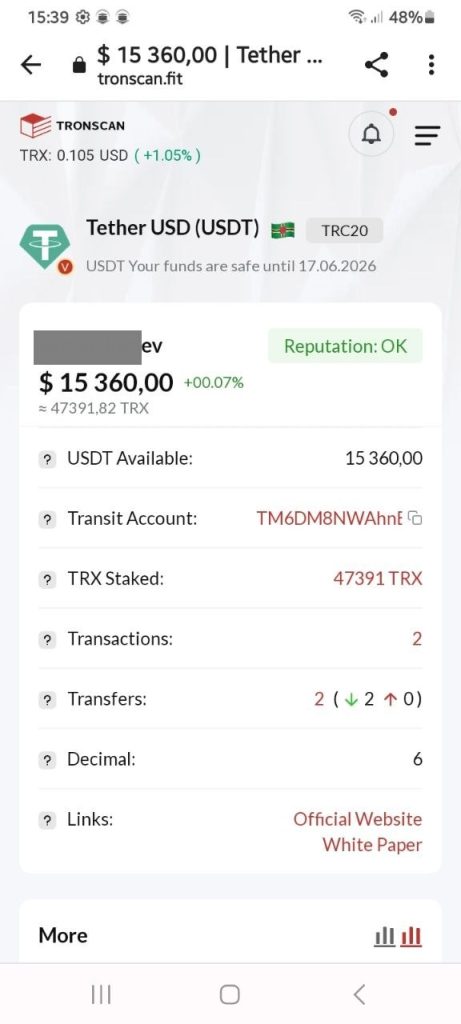
A balance on a picture proves nothing. Ask for the wallet address and transaction hash, then check them yourself on the official explorer (or a second independent one). Never connect a wallet, paste a seed phrase or pay “energy / AML / unfreeze” fees from a page that arrived via messenger. TRONSCAN’s own materials note that explorers do not reverse on-chain theft; phishing domains are for reporting, not for following payment instructions.
If this already cost you money, start at Get help. For paid “recovery” after a first loss, read Fake recovery.
This article is for general information only. It is not legal or financial advice. Details change. If you have lost money, contact your bank or card issuer and use the routes on the help pages.